Your whole freelance business in one calm place.
Stop juggling WhatsApp notes, Google Sheets, sticky notes and five apps. SiFlow keeps your clients, projects, meetings, docs and money together — and tells you exactly what to do today.
Free trial · No card needed · Your files stay in your own Google Drive
Everything a freelancer needs. Nothing extra.
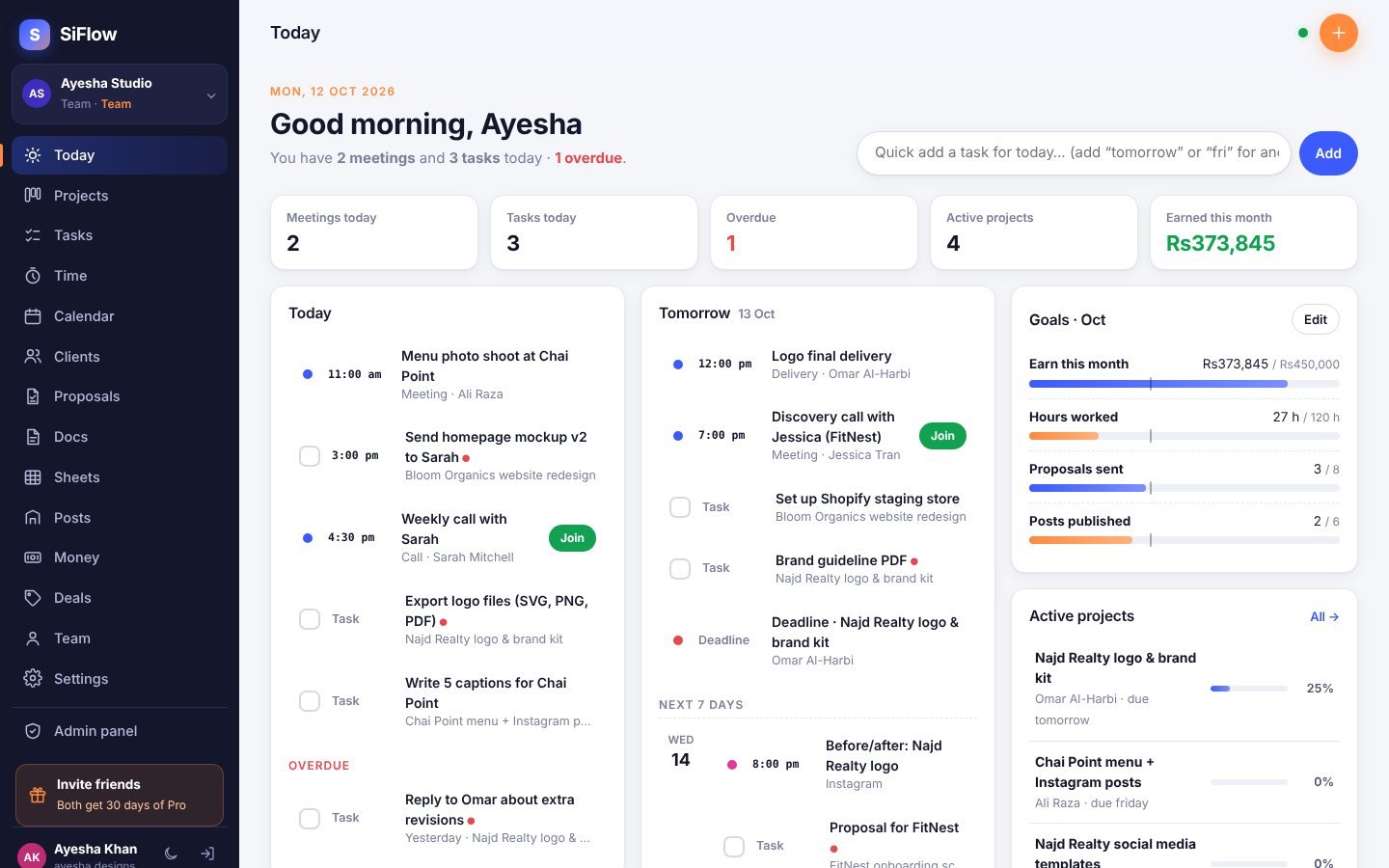
Today, tomorrow, next 7 days
Open SiFlow and see every meeting, task, deadline, post and renewal for today — and what is coming this week.
Projects board
Lead → In progress → Waiting on client → Review → Done. Drag cards, track deadlines, budgets and progress.
Tasks that get done
Quick-add like “Send invoice to Ali tomorrow”, checklists, priorities, and assign to your team.
Calendar & meetings
Client calls with Meet/Zoom links. Sync everything to Google Calendar on your phone.
Docs like Notion
Briefs, meeting notes, proposals, onboarding — with templates, checklists, slash commands and sub-pages.
Sheets with formulas
Budgets, rate cards, content lists. SUM, AVERAGE, IF and more. Paste from Excel, download as CSV.
Content planner
Plan Instagram, LinkedIn, TikTok and Fiverr gig posts. Track views, likes and leads per platform.
Money in PKR
Payments in USD, GBP, EUR or PKR, fees, expenses, invoices, and your subscriptions — all shown in rupees.
Team workspace & chat
Team dashboard, workload, group / project / private chat, and alerts for the owner.
Orders in bulk
Import all your Fiverr / Upwork orders, give them to your team or helpers, and track payouts.
Packages & booking page
Basic / Standard / Premium packages. Clients book online and the order lands in SiFlow.
Payment slips & receipts
Clients send payment slips from their invoice link. You confirm and send a receipt.
Client portal
Send your client one private link. They see progress, files and invoices, and approve the work online.
Proposals & contracts
Fiverr, Upwork and direct-client templates. Clients accept and sign online — then start the project in one tap.
Time tracker
Start a timer on any task. See hours per project and your real hourly rate in rupees.
Monthly goals
Set targets for income, hours, proposals and posts. SiFlow shows if you are on track.
Repeating tasks
“Send report every Monday” — tick it done and the next one appears by itself.
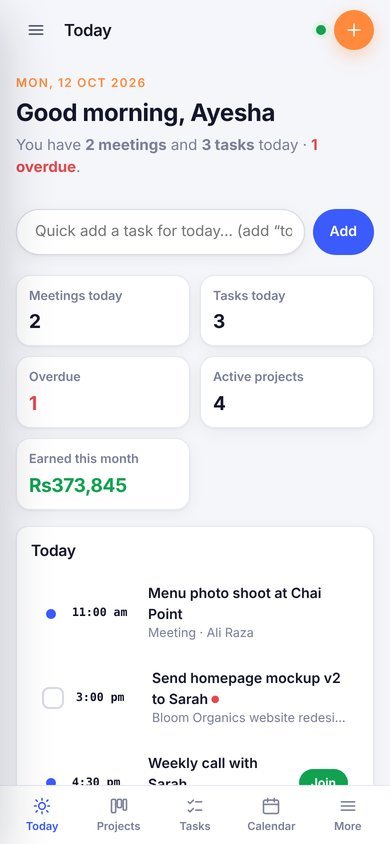
Phone app
Install on your home screen, open it with a weak connection, and get reminders before meetings.
Your account is locked like a bank app.
Your clients’ details, rates and income are private. SiFlow protects them in layers.
- Google login — no new password to remember or leak.
- WhatsApp code on sign-up and on every new phone or computer.
- Authenticator app (optional) for extra safety.
- See and log out devices anytime. Trusted devices for 60 days.
- Files stay in your own Google Drive — we never hold your files.
- Daily backups and download all your data anytime.
Simple prices in rupees.
- Every feature unlocked
- Team chat, client portal, booking page
- No card needed
- Your data always stays safe
- Then choose Pro or Team
- Unlimited projects & docs
- Sheets with formulas
- Client portal & online signing
- Daily WhatsApp summary
- No ads
- Everything in Pro
- Up to 5 team members
- Assign tasks & comment
- Admin, member, viewer roles
- Live sync
Pay with JazzCash, EasyPaisa or bank transfer. Yearly: pay 10 months, get 12.
Tools we recommend
Official partner links. You buy directly from the company.
Questions
Is there a free trial?
Yes. Every new account gets a free trial with every feature. After that your data stays safe and you can still view and download it — choose Pro or Team to keep adding work.
Where are my files stored?
Files you upload go to a “SiFlow files” folder in your own Google Drive. SiFlow can only see the files it uploaded. So storage is never a problem.
Why do you need my mobile number?
It is the second lock on your account. If someone gets your Gmail, they still cannot open SiFlow on a new device without the WhatsApp code.
Can I use it on my phone?
Yes. SiFlow works in any phone browser. Add it to your home screen and it opens like an app.
How do I pay for Pro?
Send the amount by JazzCash, EasyPaisa or bank, then enter the transaction ID in Settings → Plan. We activate it within a few hours.
Can my team use it?
Yes. Create a team workspace and invite up to 5 members by their Gmail. Each person logs in with their own Google account.
Can I get Pro free?
Yes. Invite freelancer friends with your link. When a friend signs up and verifies a mobile, both of you get free days of Pro.
Does my client need an account?
No. Your client opens a private link — no login. They can approve work, accept a proposal or see an invoice. You can turn the link off any time.
Plan today. Deliver on time. Get paid.
SiFlow is the all-in-one workspace for freelancers in Pakistan: clients, projects, tasks, meetings, docs, sheets, posts and money in one secure place.
Start free with Google